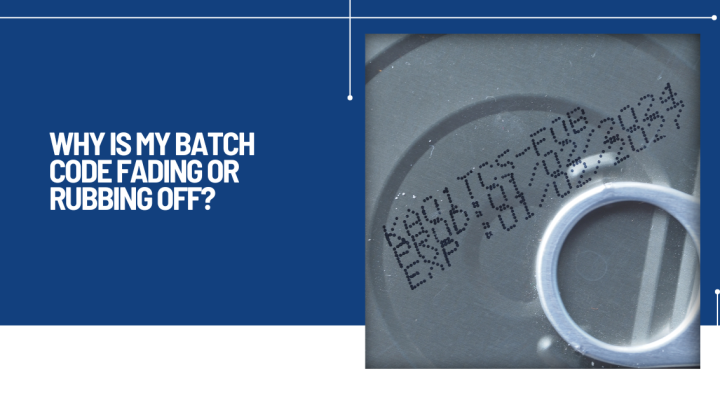
A batch code might look perfect when it leaves the printer, only to become unreadable by the time the product reaches your warehouse, retailer or customer.
It's a frustrating problem and one that can have far greater consequences than simply losing a date code. Faded or damaged product coding can lead to rejected deliveries, failed quality inspections, traceability issues, wasted packaging and, in some cases, costly product recalls.
At Industrial Printer Services, we're often asked why a code that appears sharp and legible during production suddenly begins to fade, smear or rub away later in the process. The answer is rarely down to a single cause. Instead, it's usually a combination of the substrate, the production environment, printer settings and ink selection.
The good news is that most of these issues can be identified and resolved.
Whether you're printing best-before dates, batch numbers, barcodes, QR codes or production information, those codes need to remain readable throughout the product's journey.
A code may need to survive:
If the printed information deteriorates before the end of that journey, it can create unnecessary costs and compliance risks.
One of the most common causes is using an ink that simply isn't designed for the material being printed.
Different packaging materials behave very differently.
For example:
Each surface has different properties that affect how well the ink bonds.
Some plastics have very low surface energy, making them naturally difficult to print on. Others may have coatings or additives that reduce adhesion.
Using a standard ink on the wrong substrate often results in codes that appear acceptable initially but fail once the product is handled.
This is particularly common within food and beverage production.
Cold products leaving refrigeration or passing through chilled environments often develop condensation before coding takes place.
Even a microscopic layer of moisture can prevent the ink from bonding properly.
The code may appear acceptable immediately after printing, only to smear or disappear with minimal handling.
If you're coding chilled bottles, dairy products or beverages, it's worth reviewing whether the current ink is suitable for wet or damp surfaces.
Many production lines operate at extremely high speeds.
If products are stacked, packed or wrapped before the ink has fully cured, the code can transfer onto adjacent packaging or become partially removed.
Drying time depends on several factors, including:
In some cases, making a small adjustment to product spacing or conveyor timing is enough to solve the problem.
Packaging doesn't always arrive perfectly clean.
Dust, oils, release agents, manufacturing residues or fingerprints can all reduce ink adhesion.
Even a small amount of contamination can create inconsistent results, where some products retain perfect codes while others experience fading or poor durability.
When troubleshooting print issues, it's important to consider the packaging supplier as well as the printer itself.
Production environments can change significantly throughout the day.
High temperatures, humidity, washdown procedures or airborne contaminants may all influence print quality and durability.
We've seen situations where coding performs perfectly during the morning shift but becomes inconsistent later in the day as production temperatures increase.
Looking at environmental conditions alongside printer performance often helps identify patterns that aren't immediately obvious.
Sometimes the printer itself is working correctly, but the settings aren't optimised for the application.
Factors such as:
can all influence how much ink reaches the surface and how effectively it adheres.
A setup that works well on one production line may not be suitable after a product change or packaging redesign.
If you're seeing any of the following, poor adhesion could be the underlying cause:
These symptoms often indicate that the issue lies beyond the printer itself.
Rather than immediately replacing equipment, it's worth taking a structured approach to identifying the root cause.
Start by asking:
Answering these questions often narrows the investigation considerably.
It's easy to assume the printer is responsible whenever codes begin to fail.
However, many coding issues originate elsewhere.
A subtle change in packaging specification, supplier or manufacturing process can significantly affect print performance, even when the printer hasn't been adjusted.
That's why effective troubleshooting considers the entire production process rather than focusing solely on the coding equipment.
If you've already checked consumables, settings and basic maintenance but the problem continues, it's worth bringing in experienced support before production losses begin to escalate.
An engineer can assess:
In many cases, relatively small adjustments can resolve an issue that has been causing repeated downtime or rejected products.
Batch codes are only valuable if they remain readable throughout the product's journey.
When codes begin fading or rubbing off, it's rarely a random fault. More often, it's a sign that something within the wider production process has changed - whether that's the packaging material, the environment, the ink or the printer setup.
Taking the time to identify the root cause not only improves code quality but also helps reduce waste, minimise downtime and protect product traceability.
If your production line is experiencing recurring coding issues, the right combination of technical expertise, suitable consumables and correct printer setup can often resolve the problem far more quickly than many manufacturers expect.
At Industrial Printer Services, we work with manufacturers across the UK to diagnose coding problems, improve print reliability and help ensure every code remains clear, durable and compliant from production line to end customer. Contact us today for help and support.

A complete solution for all industrial coding and marking equipment.
Industrial Printer Services Copyright 2026 | Created by GEL Studios